

September 18, 2026 · Leon Ho
AgentUse v0.22: agents can program their tools
Code Mode gives agents a typed workspace for tool-heavy work, creation and revision can ship supporting files, and new tests compare workflows and results.
AgentUse v0.22.0 is out. Agents can now write small, sandboxed TypeScript programs that call their tools, which turns multi-step filtering, joining, calculation, and orchestration into one typed operation. Creating or revising an agent can produce a reviewed set of supporting files instead of stopping at the .agentuse file. And testing now separates two different questions: does the workflow behave correctly, and does it produce a better result from the same evidence?
Get it as AgentUse for Mac, which bundles the runtime and dashboard, or run npx -y agentuse@latest setup in a terminal with Node.js 22+. Existing installs update through the Mac app's Settings → About, or by running the same command again.
Code Mode lets an agent program its tools
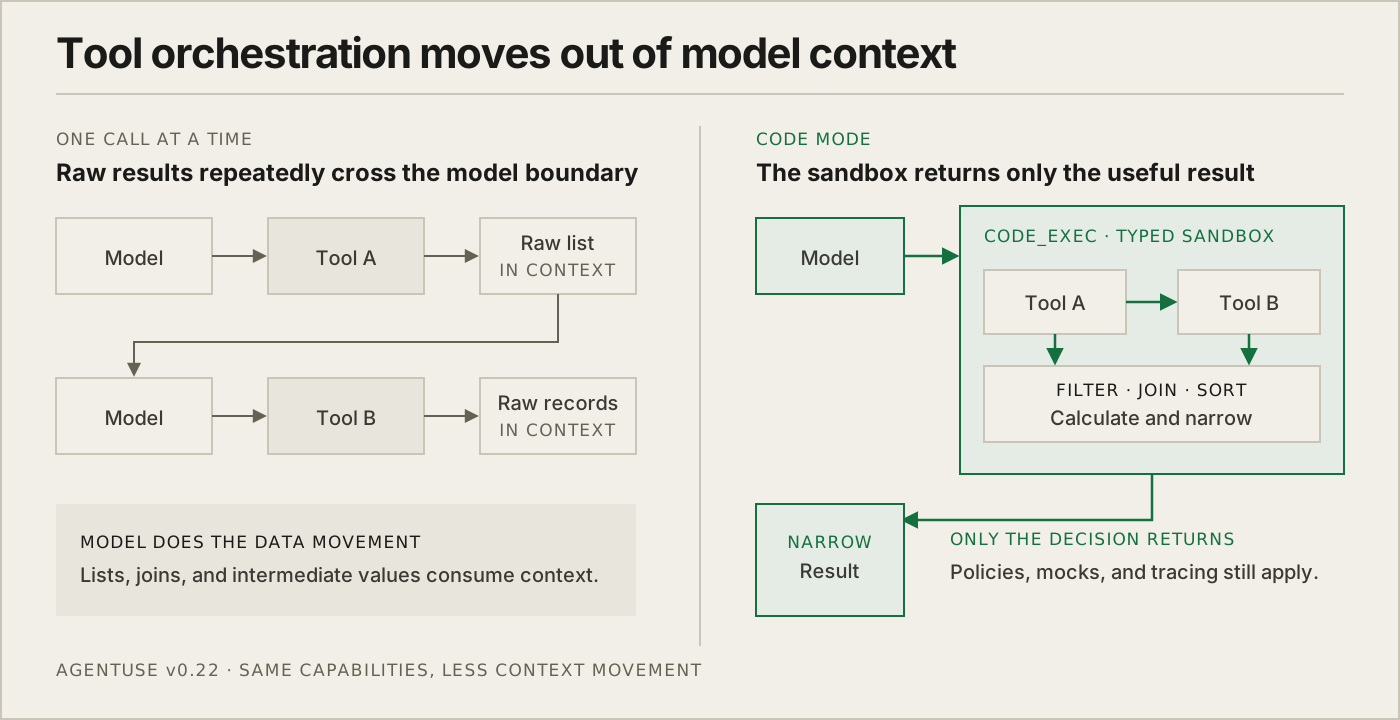
Tool use usually happens one call at a time. The model asks for a list, receives the whole list, works out what matters, and makes the next call. A job that needs to join records from two systems or filter hundreds of items can spend more context moving data around than reasoning about the work.
Code Mode gives every normal run a code_exec tool backed by an isolated TypeScript workspace. It generates a typed catalog from the tools available to that agent, including input-dependent result types. The agent can call those tools inside a program, then loop, filter, join, sort, calculate, branch, batch, or run independent calls in parallel before returning only the useful result.
The sandbox has no direct filesystem, network, environment, process, package, shell, or import access. Every nested call still goes through AgentUse's normal dispatcher, schema validation, plugin policy, mock boundary, cancellation path, and effect journal. Bash commands can participate when they already match the agent's auto-run allowlist. Gated commands stay on the direct path and still need human approval.
The practical difference is lower token use and a proper execution path for deterministic work. Intermediate data no longer has to pass through the model, so a monitoring agent can fetch records from several tools, join them by customer, calculate the exceptions, and return five IDs instead of carrying three raw payloads through its context. Filters, joins, sorting, and calculations run as explicit TypeScript, so repeatable data handling follows inspectable logic instead of asking the model to reconstruct the same transformation from prose. The program and its nested calls remain visible together in the session log.
Large results stay useful without taking over the context
Code Mode sits on a broader result system. When a direct JSON or text tool result exceeds 10KB, AgentUse now stores it as an immutable, session-scoped result and gives the model a compact handle, an initial preview, and a map of what was omitted.
The agent can inspect that stored value with a read-only results tool: list available results, read pages, search literal text, or select JSON with jq. Oversized pages come with exact continuation calls, so the agent can keep reading the same snapshot instead of rerunning the original tool and hoping the outside world has not changed. Code Mode uses the same store for deterministic composition across later steps in the session.
This protects the remaining model context without turning truncation into lost evidence. It also makes expensive tool output reusable: get it once, narrow it many times.
Create and revise the whole working agent
An agent is not always one file. It may need a parser, a checked-in template, a small data file, or a second agent to handle a distinct responsibility. Before v0.22, the create and revise flows could identify those needs but could only propose the agent source itself.
They now prepare an atomic multi-file changeset. The author can update the .agentuse file together with the scripts and supporting files it depends on, while every proposed write stays isolated from the project until review.
The review workspace shows the explanation, file previews, tests, and capability changes before anything applies. You can comment on the proposal, request a scoped revision in the same authoring thread, or inspect the underlying session. Apply checks every target first and then writes the set atomically, so a stale or invalid change cannot leave half an agent in the project. Interrupted reviews and applies recover from their durable state.
Revision also has a clearer way to say the agent is not the problem. A no-change result identifies whether the cause is the agent, the project, its setup, or AgentUse itself. When AgentUse is the likely cause, the review includes a pre-filled bug report with session IDs, not the run transcript, for you to inspect before submitting.
Test the workflow or test the result
agentuse test used to cover several testing ideas behind one adaptive command. v0.22 makes the intent explicit:
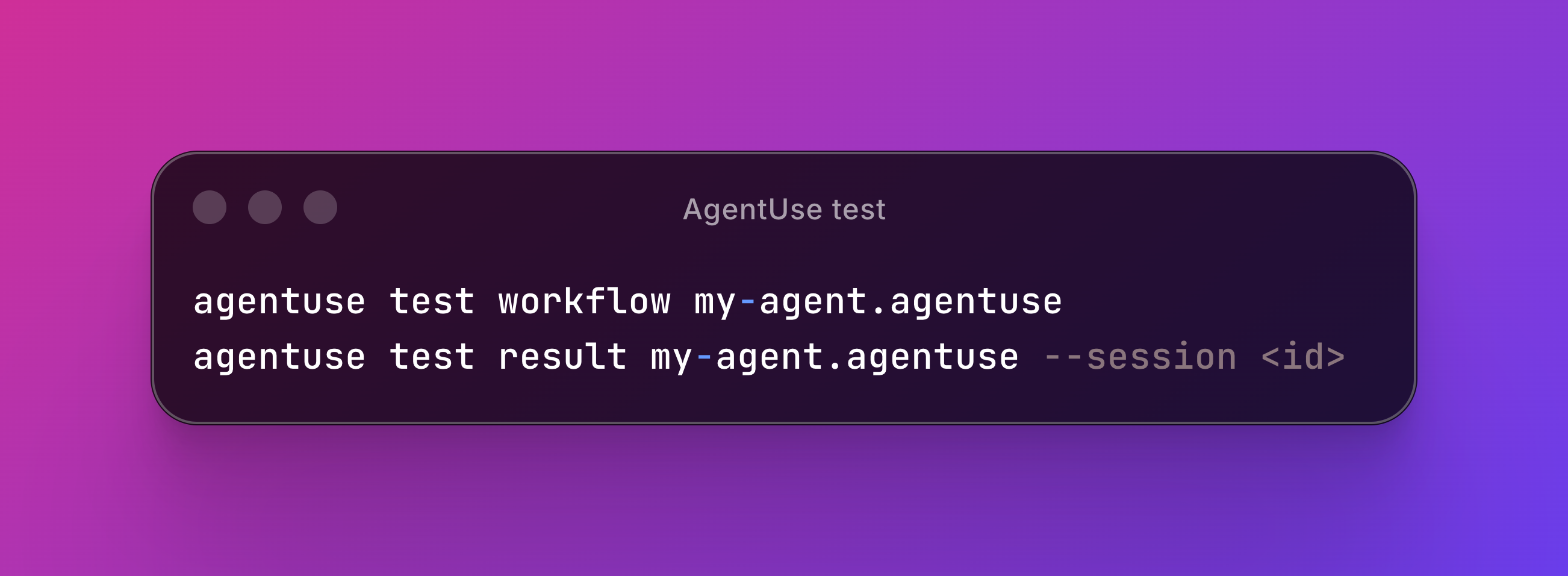
test workflow exercises the agent's steps and approval branches with tool responses mocked by default. That makes it useful for checking control flow, including approve, reject, and comment paths, without touching live systems. --scope gated is the deliberate escape hatch when only gated Bash should be simulated and other tools should remain live.
test result starts from evidence saved in a past job and asks the current agent instructions to produce a new result. The original draft is kept out of generation, so the comparison does not quietly become imitation. Add --judge <agent> to have a tool-free judge evaluate the new result against explicit criteria.
The same recorded-session machinery supports fixed-input replay. Store projections and other durable inputs are reused while writes remain isolated, so prompt and model changes can be compared without re-running upstream collection. The result is closer to an experiment: hold the evidence still, change one part of the agent, and see what the new version does.
Results get their own place in the dashboard
Completed work is now easier to find without reading every session. Home groups recorded metrics by agent, each agent page has a Results tab, and result tiles open the metrics store behind them. Recent jobs and Sessions mark result-bearing runs that have not been opened yet. Incomplete and failed runs stay separate from completed reports.
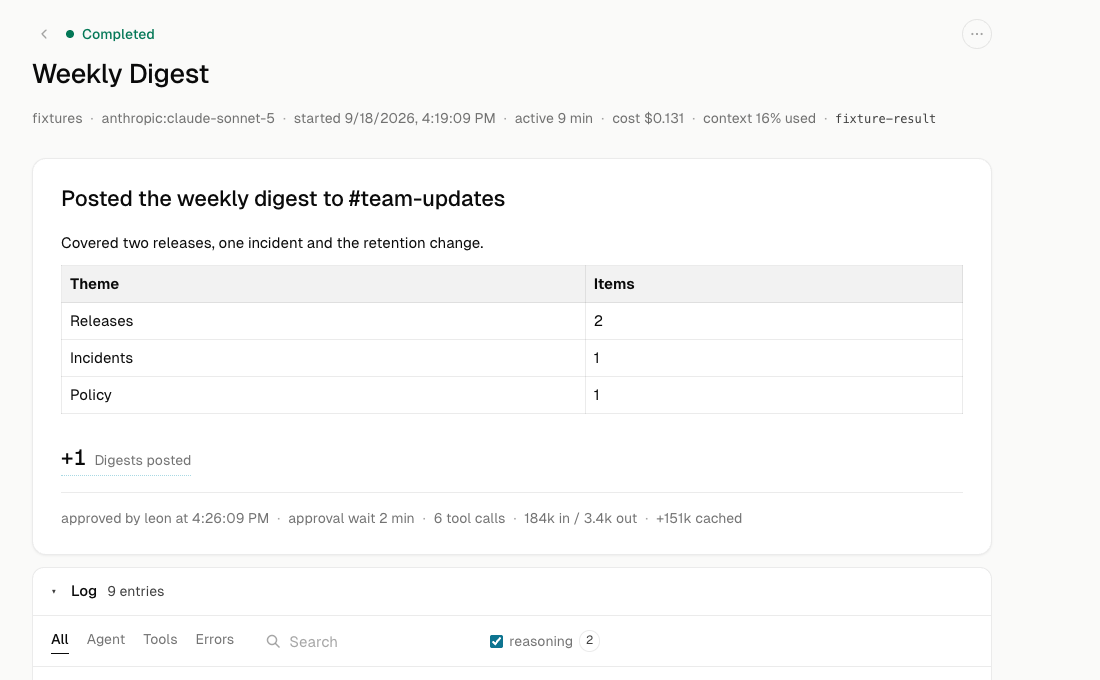
The session page has also been reorganized around the action needed now. Run controls live in one menu, approval discussions render as individual posts, supported media appears beside the action it belongs to, and recovered tool failures link to the successful retry. Active time, model context, returned bytes, and copy controls are available when needed without dominating the page. The same review flows now adapt to phone and tablet widths.
Runtime and desktop reliability
Long reasoning no longer looks the same as a stalled connection. A watchdog tracks model progress separately from tool execution, retries dropped transports, and makes affected delegated runs resumable from the dashboard. A genuinely unfinished run remains incomplete instead of being mislabeled as failed or completed.
The Mac app keeps ownership of externally managed servers straight across app restarts and machine reboots, so it will reconnect without replacing or terminating a server it did not launch. v0.22.0 is also the first release whose signed and notarized Apple Silicon and Intel apps are built in GitHub Actions, with one updater manifest routing each Mac to the right artifact.
v0.22 is about keeping computation close to the tools and judgment close to the human. Agents can reduce raw evidence into the exact facts they need, authors can review every file that makes an agent work, and tests can compare behavior without moving the inputs underneath them.